Understanding cash flows
You can enable Show Deltas in BeanTab to see how balances moved between snapshot days.
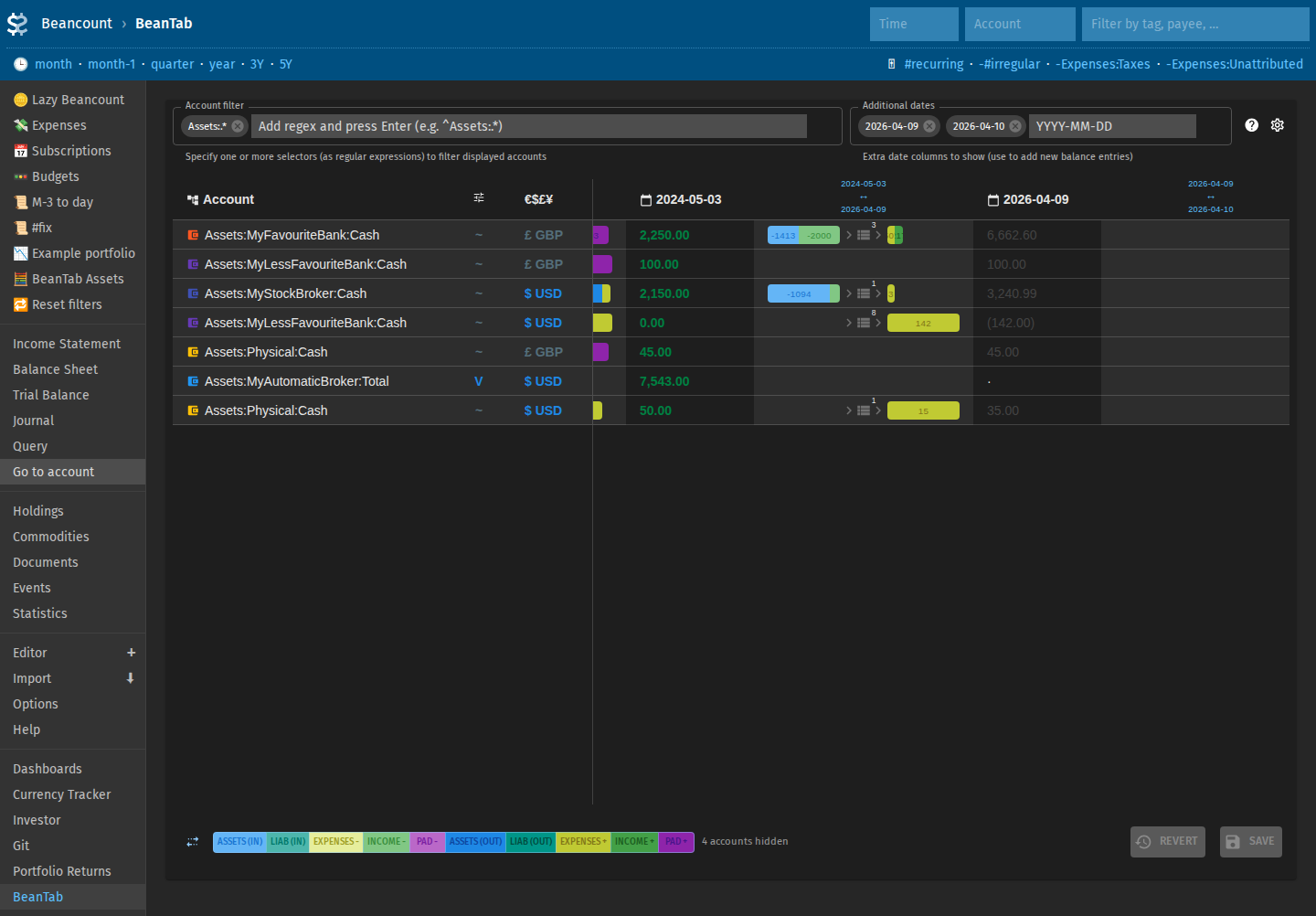
When you're entering and correcting the data, PAD categories will be the most useful to observe. Namely, their presence should be reduced to a minimum. Beantab with "deltas" enabled makes it easy to identify and fix some of the issues. For example, missed transfer between two accounts will be displayed as a negative pad on one and positive pad on another. When the transaction is added to the ledger, both will be gone.
Large unexplained deltas often mean a wrong balance snapshot value, or transactions you have not imported yet. There are useful links to the Journal pages for further investigations (also see Advanced Fava for a brief on Fava filters).
Negative expenses or positive income
Sometimes on the pages with the income/expenses graph you will see expenses that have negative values (that actually means it's income) or income that has positive value (which is normally reserved for expense accounts).
Typically that would happen with Unattributed:* accounts and discrepancies in the Balances values. Maybe you missed some transactions or have typos? Use Fava to filter down to the shorter time period and investigate transactions and values more closely.
Look at the Detailed Expenses dashboard's tables. They are designed to help you find potential mistakes or omissions in the data (use them together with Fava's filters).
Also "Unattributed Expenses" in the Income and Expenses dashboard shows the dynamics of the expenses that were missed in imports and manual transactions. Ideally these should get closer to 0 as you track transactions more precisely. Or they just can stay low enough if you don't care that much.