Lazy Beancount
An opinionated guide on how to start (and continue) tracking personal finances using the open-source Beancount accounting system. Packaged in Docker with batteries included.
Features
-
Based on Beancount
Plain-text accounting with the Beancount ledger format.
Details
Built on the open-source Beancount PTA (plain-text accounting) system. Your data lives in human-readable portable and version-controlled
.beanfiles.- Beancount documentation
- This guide's documentation overview: Beancount documentation
-
Privacy-focused
Self-hosted open-source stack. Your data stays on your machine.
Details
Your financial data belongs to you: it lives in local
.beanfiles and does not get uploaded to any server or cloud.- Run everything via Docker setup or Podman on your own hardware
- Beancount-import works from statement files you upload rather than mandatory bank aggregators
- More about why open-source
- Optional cloud-based import paths are discussed here
-
UI-centered
Fava, dashboards, import review, and set of Fava extensions for various workflows. Command line skills are still useful but not required for using the system.
Details
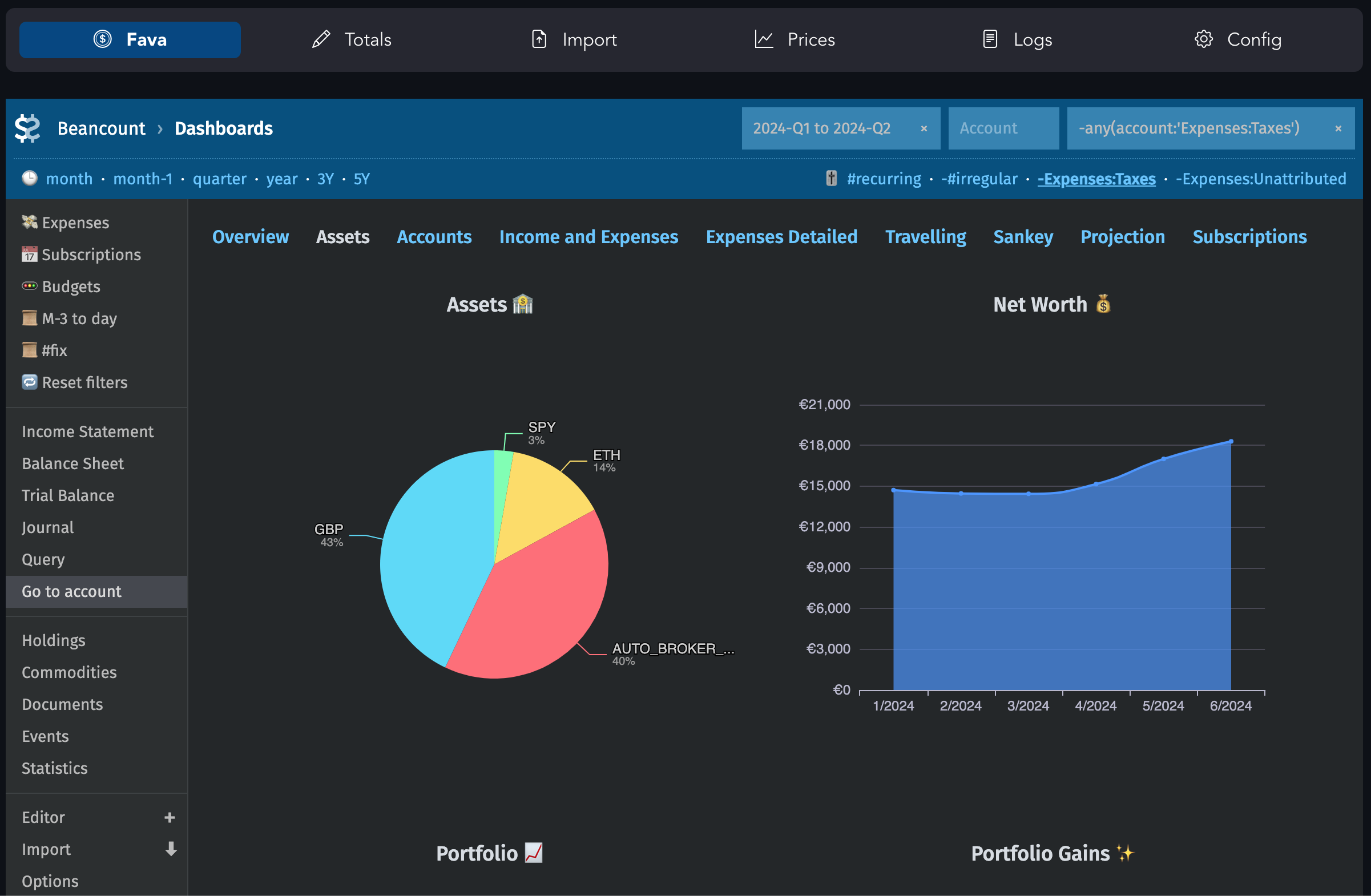
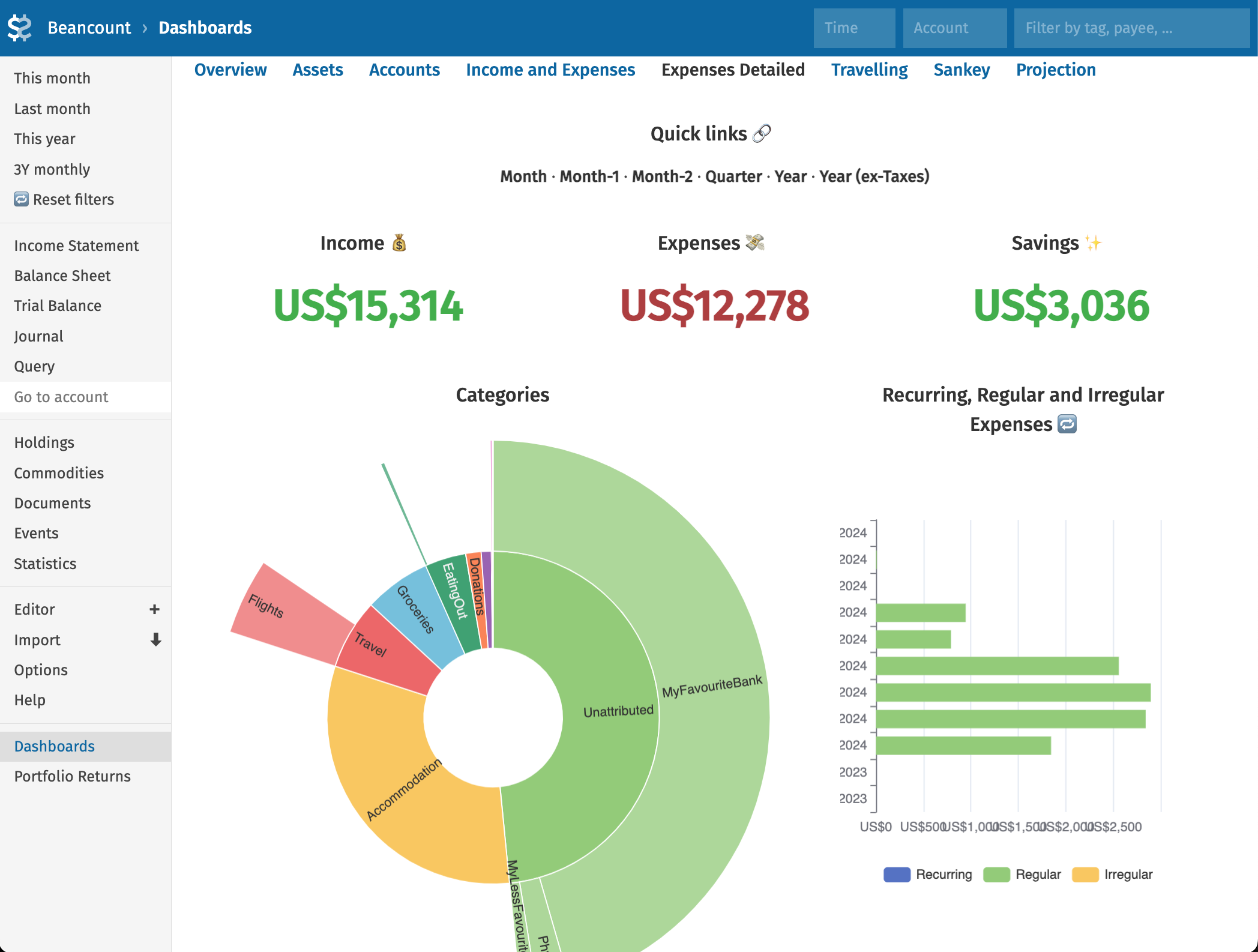
- Fava with fava-dashboards
- Beancount-import for automatic transaction categorisation and review UI. Configured for Wise, Monzo, Revolut, IBKR (Evernight/beancount-importers, uabean): more importers can be integrated on request
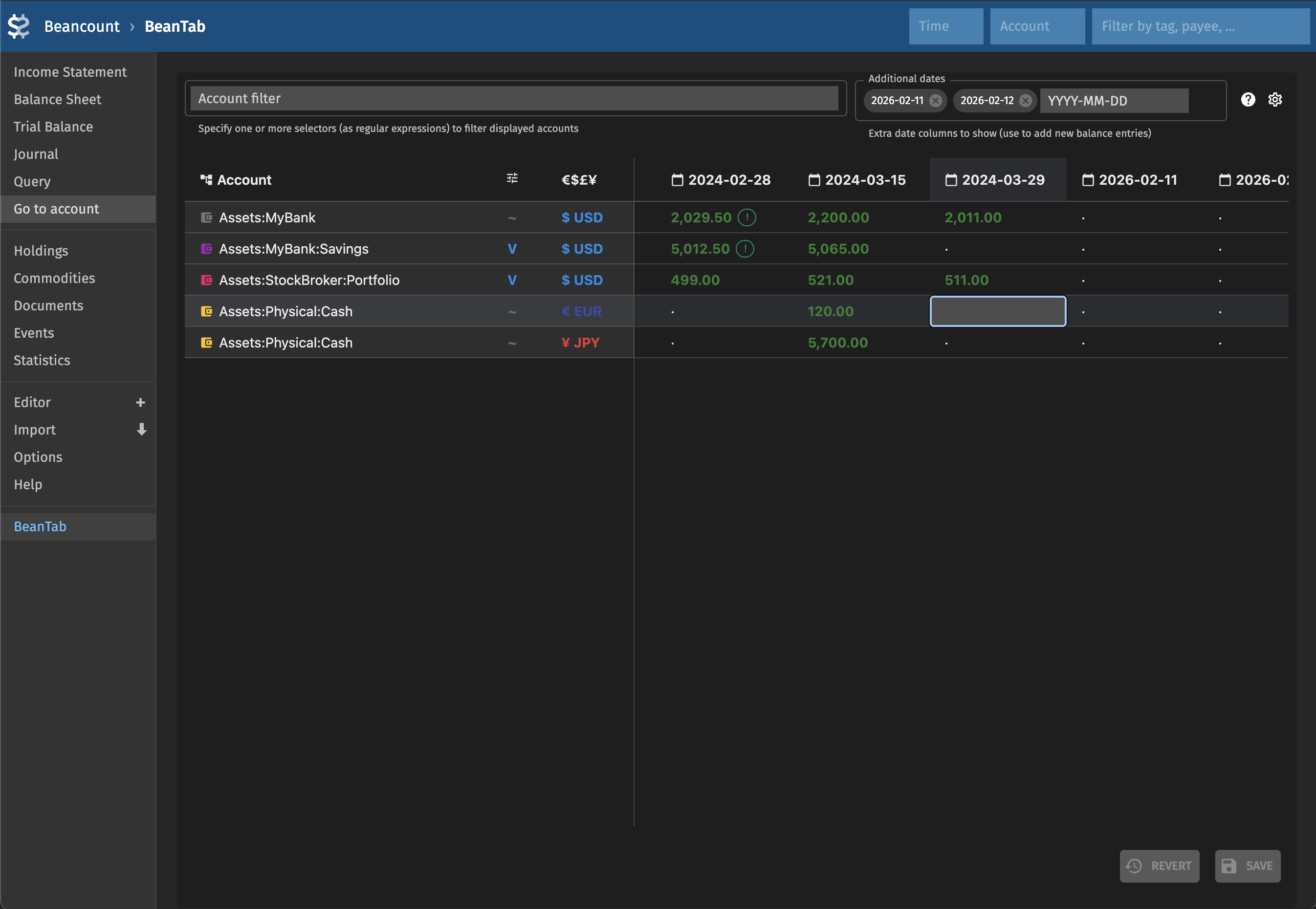
- beantab for entering balances and reviewing discrepancies and flows between accounts
- fava-currency-tracker for fetching currency rates and commodity prices
- fava-git for managing Beancount files with git
- fava-lazy-beancount with some additional interfaces (account and plugin management)
-
Multiple currencies
Configurable currencies with on-demand display conversion and semi-automatic rate fetching.
Details
- Multiple currencies and auto-conversions between them
- Track cost basis, see current market values in any base currency
- Conversion rates are semi-automatically fetched via pricehist and fava-currency-tracker
- Stage I: Defining currencies
-
Levels of detailisation
Start with periodic balances. Elaborate with imports and transactions. Track exactly the details you need in the time periods you care for, at the time of your convenience.
Details
- Enter account balances periodically in beantab: information is stored in plain text and processed by extended balances plugin
- Import or add transactions manually when you have time for more detail
- Stage I: Balances
- Stage II: Expenses
- Transfers between accounts, fully or partially shared expenses, etc – it's all easily manageable by Beancount language and double-entry accounting, as opposed to more simplistic systems
- Stay lazy
-
Track investments
Holdings, market prices, and portfolio analytics.
Details
- fava-portfolio-returns and fava_investor pre-installed
- Stage III: Investments
- Stage V: Taxes
-
Flexible and extensible
Various plugins and their flexible configurations.
Details
Everything is configurable via Beancount files, YAML files (introduced in Lazy Beancount), and additional UIs.
Pre-installed plugins:
- collections:
- beancount-lazy-plugins (valuation, filter_map, group_pad_transactions)
- beancount_reds_plugins (rename_accounts, effective_date, and more),
- autobean (stock_split, share, and more)
- large plugins: fava-dashboards, fava-portfolio-returns, fava_investor
- smaller ones: beancount_share, beancount_interpolate, generate_base_ccy_prices
- writing and enabling a new plugin in Python is easy (especially with LLM assistance)
- collections:
-
Various use-cases
Shared expenses, trips, events, and more – see examples and recipes.
Details
- Extensive configuration example with comments, including common useful shortcuts and solutions to common problems
- Functionality with screenshots and links
- Stage IV: Improvements
- Stage V: Taxes
-
Docker-packaged
Pinned dependencies and simple installation.
Details
- All components tested together (manually) in a coherent setup
- Fixed package versions and Docker configuration simplify installation
- Cross-platform setup
The main goal of this guide is to provide you a way to start managing your own finances using plain-text accounting gradually and incrementally. Also with various useful tools already included and set up so you don't have to build/configure everything from scratch.
The flow unique to this guide is visual spreadsheet-like balance management via beantab. It allows you to easily enter strict and flexible ("fix later") balance checks and then observe the discrepancies visually (and later add transactions to remove these). At the same time, your account and net worth graphs will be the first thing you can rely upon.
Who this is for
Anyone who wants a better understanding of various aspects of their financial life. Maybe you want to see your spending patterns and optimize something. Or maybe you want to track your FIRE goals. This set of tools will be especially useful if you have multiple accounts, savings and/or investments, want to track cash spending, and also if you want to optimise tax-related things. You can get an idea of the existing functionality at the Functionality page. Where the feature does not exist yet, Beancount excels in flexibility and extensibility.
If your things are simple enough, you can always use spreadsheets or one of the alternative tools. But with Beancount you can track almost anything finance-related and there is existing code for a lot of use-cases. In my opinion, it's the best product in the (open source ✖ available features ✖ hackability) niche.
Finally, if you were already interested in plain-text accounting premises but lazy enough not to bother tracking all transactions manually or setting up Beancount from scratch and testing all the libraries, or both. If you want to get Fava in Docker or Podman and avoid the hassle of setting up Python, pip, etc on your platform (but still want to have your data kept private), this may be the easiest Beancount tutorial to follow.
This system may appear complicated on the first glance. You will still have to learn how plain text accounting and Beancount in particular works. There may be some technical details to learn. In exchange you receive a lot of flexibility and ability to do whatever you want to do with your financial data (especially if you prefer Python coding over spreadsheet management: it is not required for most of the already provided functionality).
Everything is configurable via Beancount files, YAML files (introduced in Lazy Beancount) and some additional UIs. Being comfortable working with command line, structured text files and version control system (e.g. git) will be an advantage. Some amount of coding (in Python) will be helpful if you want to extend the framework.
Why this guide exists
At some point I started using spreadsheets to track basic personal financial data. For some time I also have been considering finding or implementing the system for tracking investments and calculating taxes. In the process I've been researching various available open source options. After briefly trying few ones and noting available functionality I chose Beancount. Throughout the first year I moved pretty much all of my tracking to Beancount, and it turned out to be even more flexible and feature-rich than I expected.
Multiple sources mention the learning curve as steep and, indeed, Beancount seems harder to start with than some other systems that are fully UI-based and don't get into accounting concepts and terminology too much. However, I found my own path to Beancount pretty satisfactory and decided that this experience is worth describing to make the entry easier. While it started as a guide, it evolved into a maintained GitHub repository together with a Docker image and later expanded to additional Fava extensions that can be used separately and modularly.
Some of the approaches I took are, probably, unconventional, and for various reasons may go against the recommendations from the original docs. Hence, the guide is referred to as "opinionated". You don't have to do all the things the same way and some of the ideas may still turn out to be useful for you.
Links to useful libraries and resources for Beancount are sometimes scattered and sometimes outdated. You can follow Beancount contributions doc, awesome-beancount or mailing list to keep up-to-date. This guide is an attempt to gather the best and tested resources and bootstrap an overall Beancount experience.
How to use it
The guide is designed to be followed step-by-step like a tutorial and is broken down into "stages". You can start with Setup for installation instructions and high-level recommendations, then go through the Stage I to have something working and useful by the end of it. You can follow through the rest of the stages at your own pace, or whenever you need the functionality mentioned.
Or you can just use this site as a reference to useful resources and tips if you already use Beancount in a different way or if you prefer to develop your own approach. In case you have an existing setup, of course you can build on top of it.
Questions or feedback?
Please leave feedback to support project development.
Note
Previous version of this guide (for releases 0.4.3 and below) is available at v1.lazy-beancount.xyz.