Balance checks
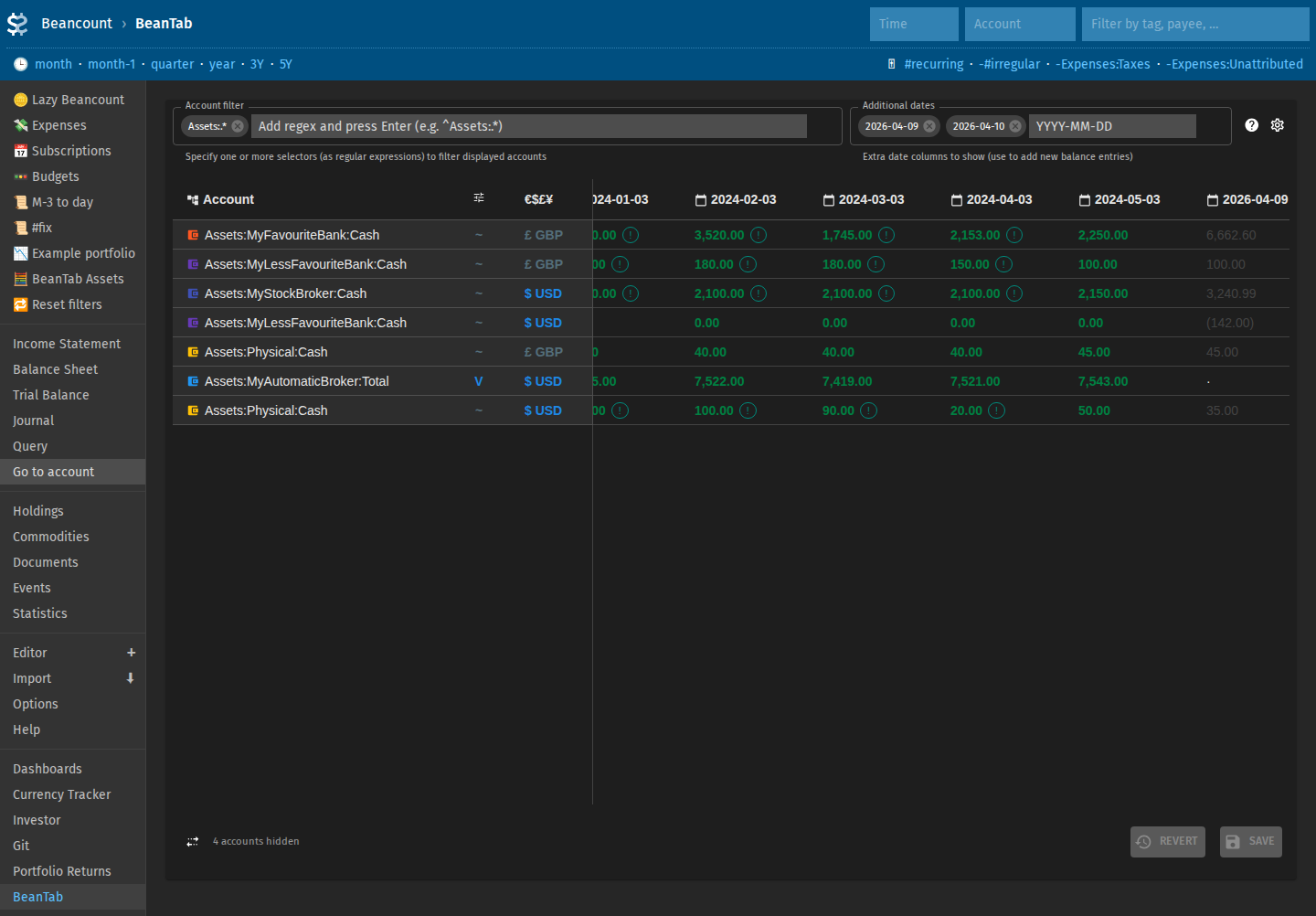
Lazy Beancount provides BeanTab to manage your account balances. The balances can be edited and saved in the spreadsheet-like interface. Under the hood they are converted to text directives and processed using balance-ext and pad-ext plugins. The values can be tracked using version control just like the rest of Beancount files.
Open BeanTab from the links in the sidebar.
Balance check types
The broad logic is similar to the standard balance operation, but several additional balance checks are added in Lazy Beancount.
| Type | Behaviour on check | When to use |
|---|---|---|
regular |
Standard balance assertion for listed amounts. Mismatch results in an error |
You track all flows manually and precisely and need to fix the balance errors yourself. The data is not adjusted and the net worth charts will be inaccurate until you fix the errors. |
padded |
Automatically adds pad operation on the previous day. Mismatch results in an extra pad transaction that you may investigate in various interfaces and fix at your convenience. Account balances are adjusted that way and net worth charts are corrected. |
Default recommended option for using with Lazy Beancount |
full |
Asserts each currency listed on the account | Multi-currency account. Not generated from the UI, can be useful for concise manual checks in files. |
full-padded |
Combines full and padded options above |
Like above, useful for manual checks (e.g. before closing account to ignore small balance discrepancy) |
valuation |
Emits a valuation custom entry for opaque funds; see Valuation plugin. Changes underlying commodity price so that total value of the account matches the check. Net worth charts then reflect the correct value. |
Can be set for some accounts and UI will generate valuation entries for them. |
Default balance type for account
The read-only Default balance type column shows the effective type per account from your ledger: balance-ext config directives and existing entries (config example). Lazy Beancount templates are set up for padded checks between snapshots.
Overriding default type per cell
In BeanTab, append a type suffix when editing a cell to override the default type: ! regular, F full, ~ padded, F~ full-padded, V valuation For example, 1500~ means balance 1500 on that date and padded type.
Overriding default type via configuration
Add custom "balance-ext" "config" directives with account_regex and balance_type in your ledger (see also in the example ledger).
Adding data points
Add a new date column (today and tomorrow are present by default), enter balances from your institutions, and save. To save time, copy the previous column and adjust only changed accounts.
Beancount only has day granularity. To avoid further corrections, specify balances as they are at the start of the day, before any transactions that happen on that day. For banks, add back that day’s spending before the snapshot.
Result
After several snapshots, account dashboards and net worth views reflect your data.
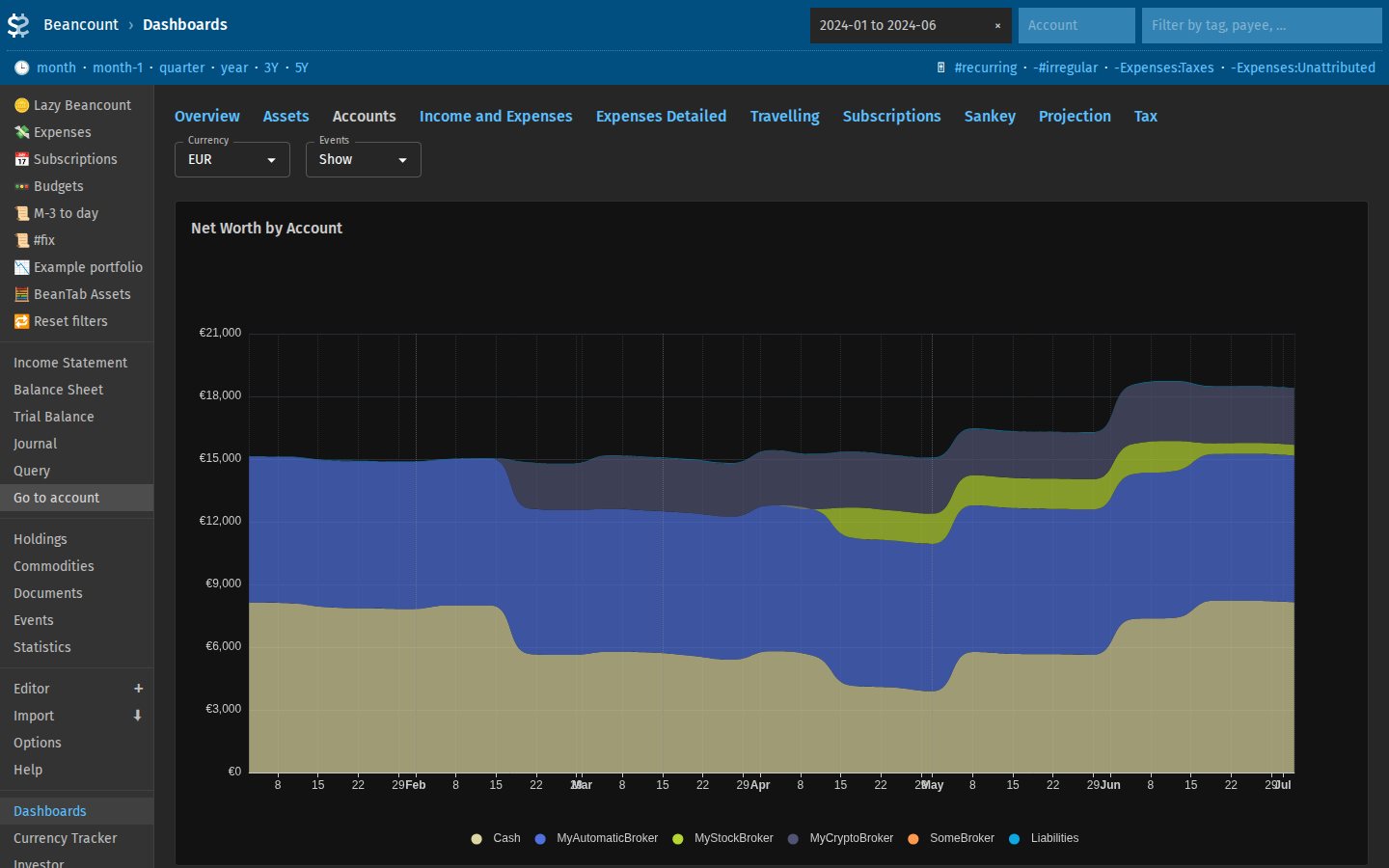
You can choose display currency once commodities and prices are configured. Commit generated or edited files to git regularly.