Functionality
This shows examples of what will you get once you set up everything following the guide steps. The links to localhost:5003 below will work once you're gone through the following Setup section. For general Fava experience preview you can also play around with the running instance of Fava at https://fava.pythonanywhere.com/.
All account balances and charts
You can see current and historical data on all your accounts (combined in any way you like):
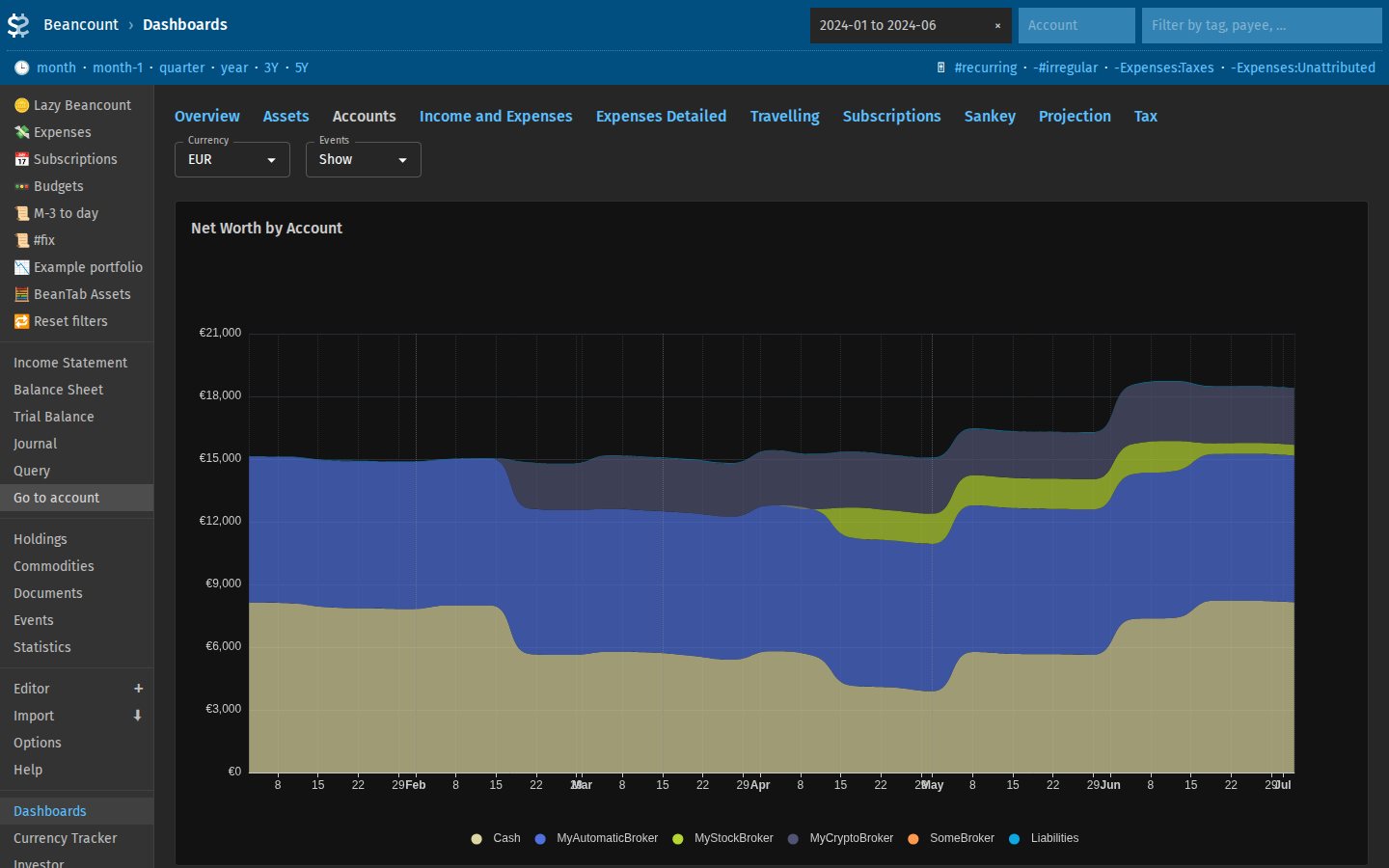 http://localhost:5003/beancount/extension/FavaDashboards/?dashboard=accounts
As well as functionality supported by Fava out of the box:
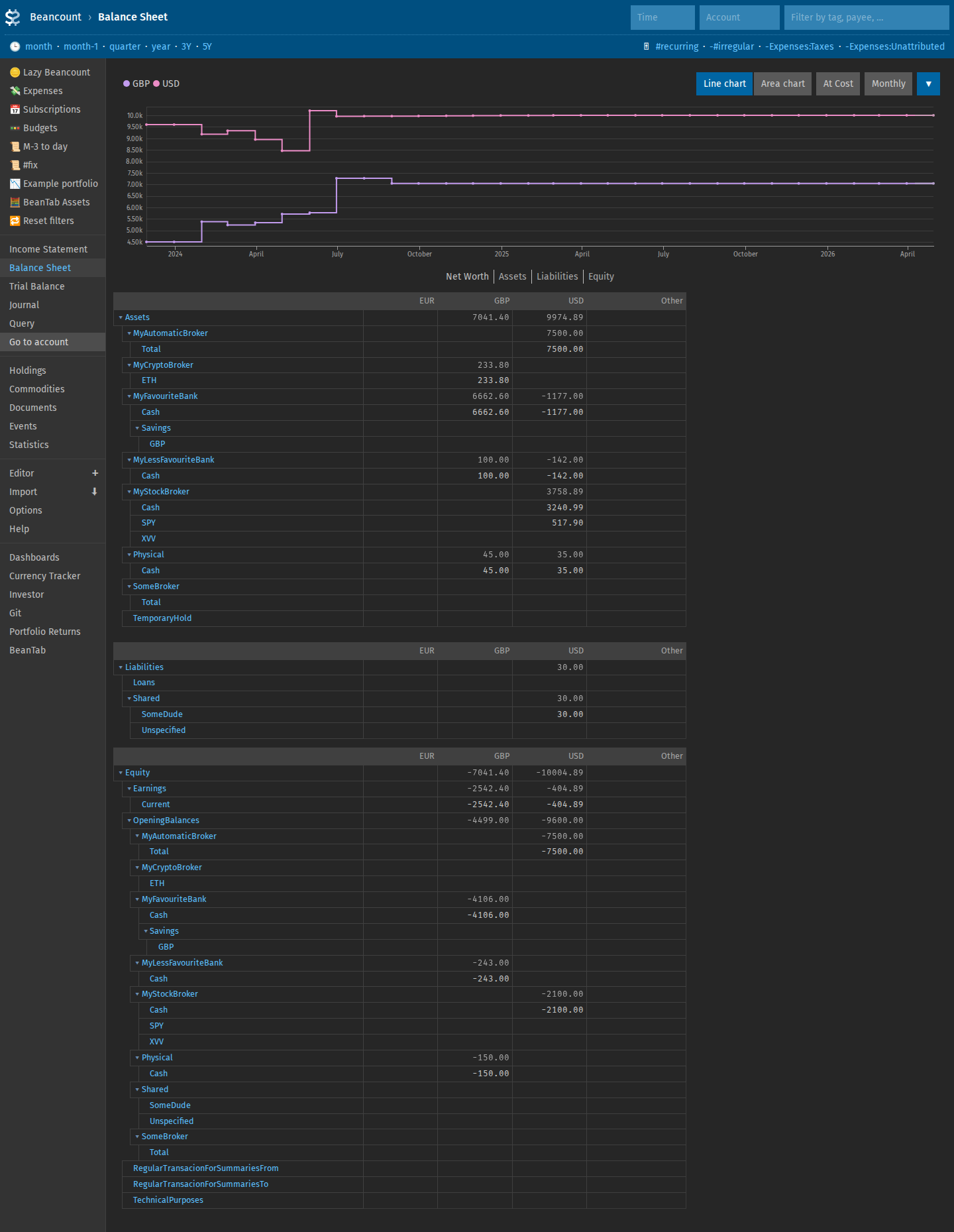 http://localhost:5003/beancount/balance_sheet/
Easy account definition and periodic balance updates
The simplest and requiring the least amount of time investment way to use the system is to just update balance values for all the accounts regularly using the beantab extension.
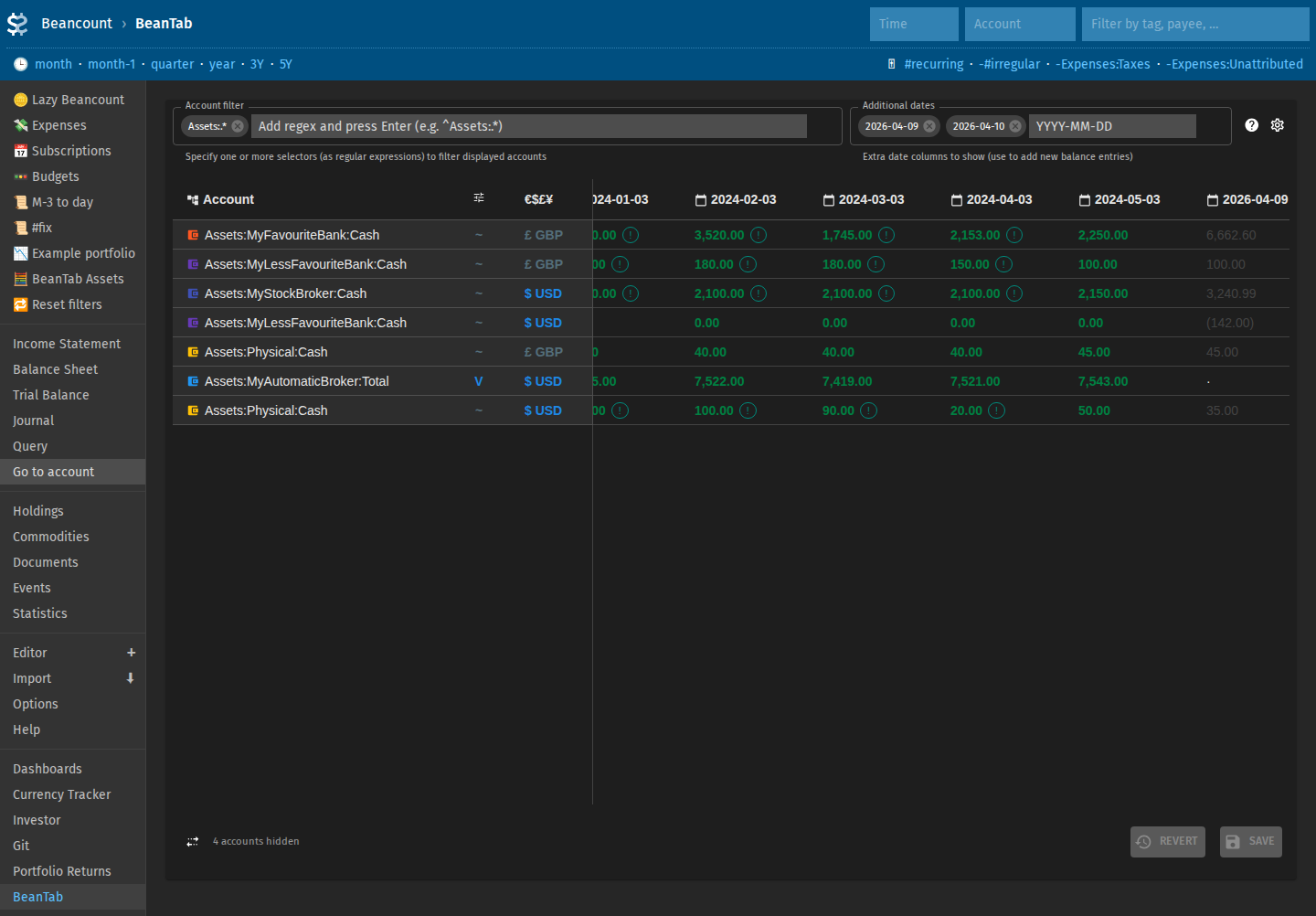
Your net worth and per-account charts will be available just by doing this, and you can choose to import or input transactions in different accounts whenever you have time.
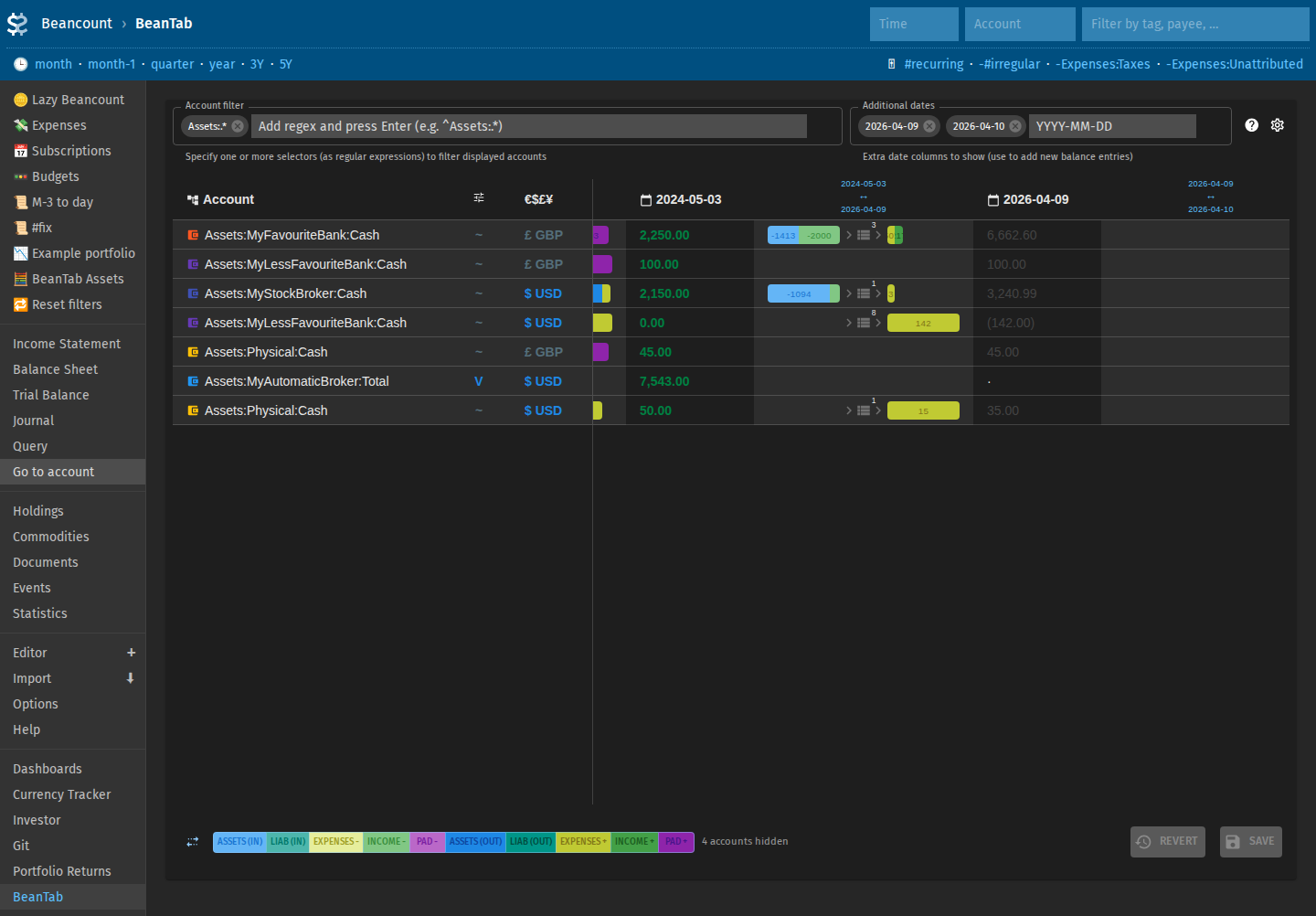
Investigate the discrepancies in the advanced form of this view:
Support for arbitrary currencies
You can define multiple currencies and choose one that should be used for displaying data/charts for the current analysis on the fly.
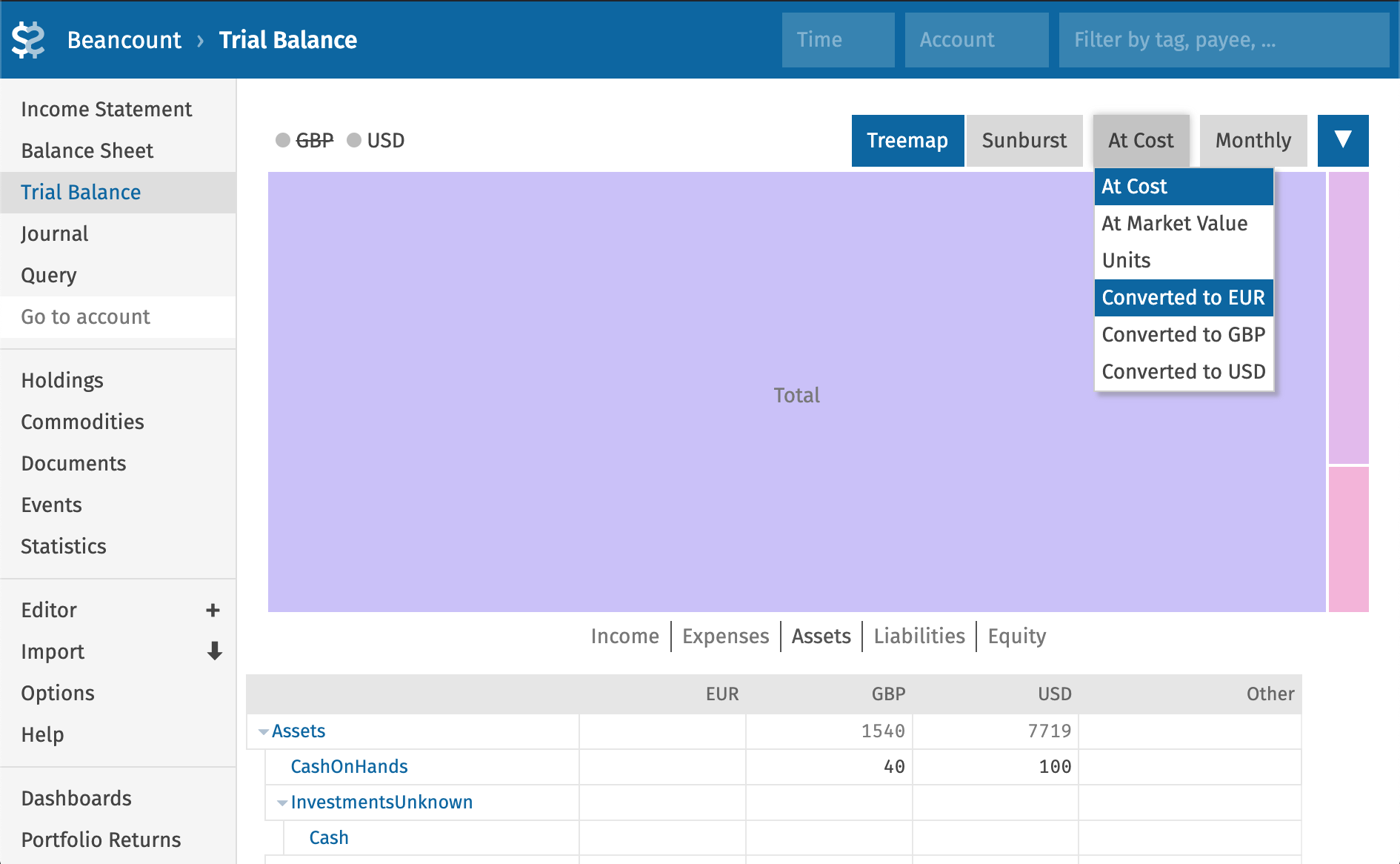
The conversion rates are fetched on demand using pricehist.
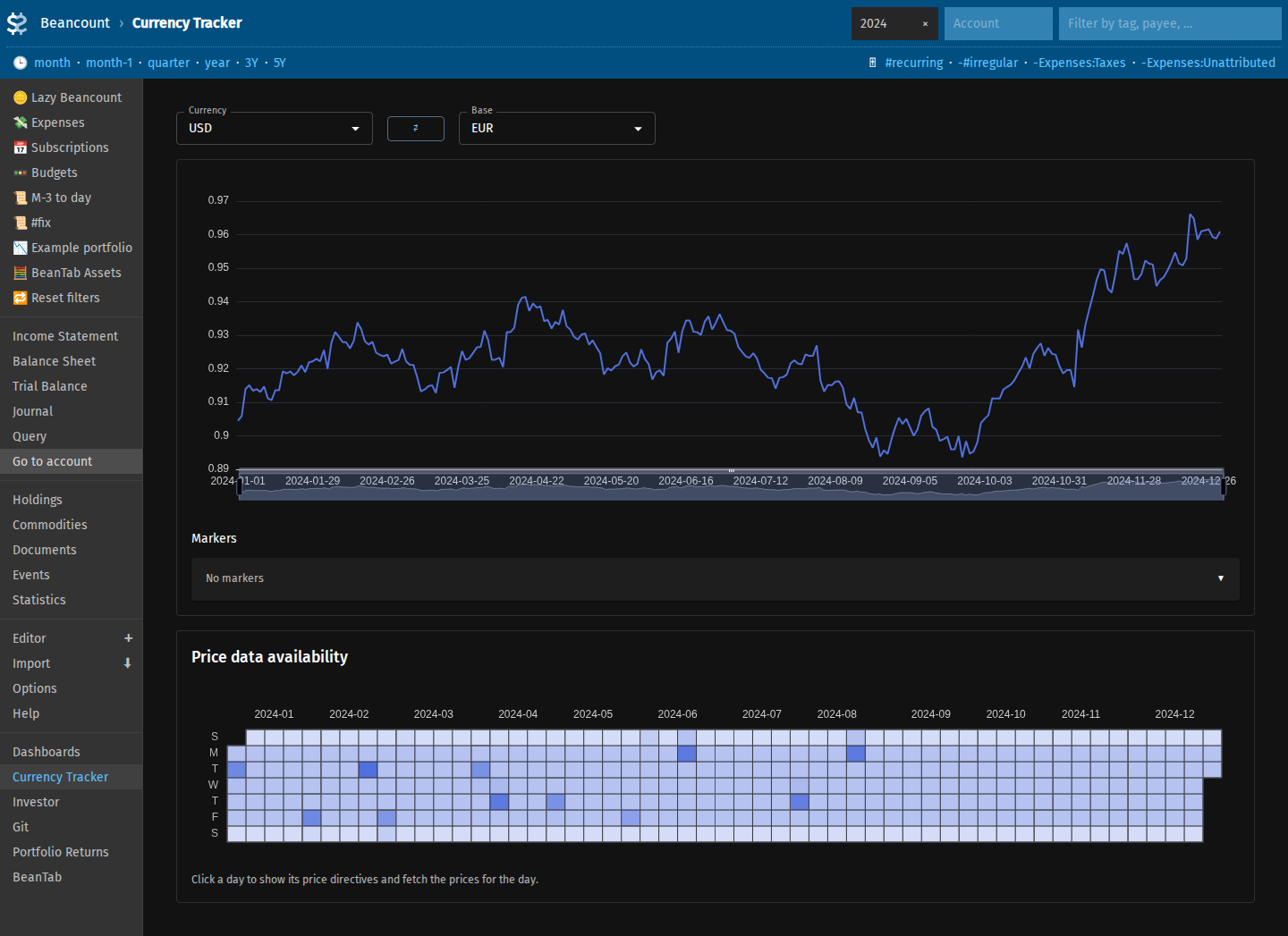 http://localhost:5003/beancount/extension/FavaCurrencyTracker/
Income and expenses
Define categories and break down income and expenses. Display them in charts or treemap/sunburst/pie/donut view over various periods of time (weekly, monthly, quarterly, etc).
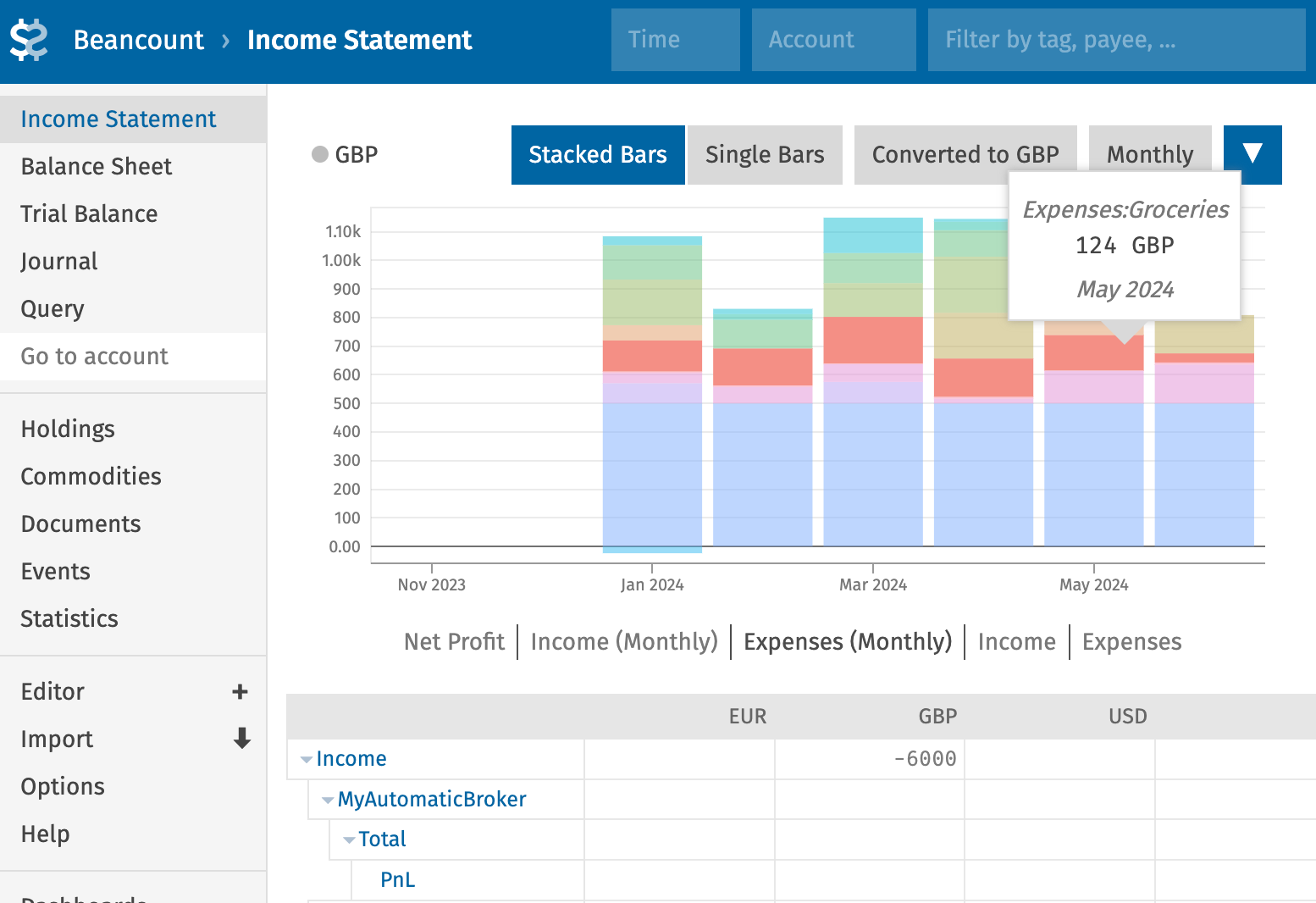
http://localhost:5003/beancount/income_statement/?conversion=USD
In customized view with dashboards:
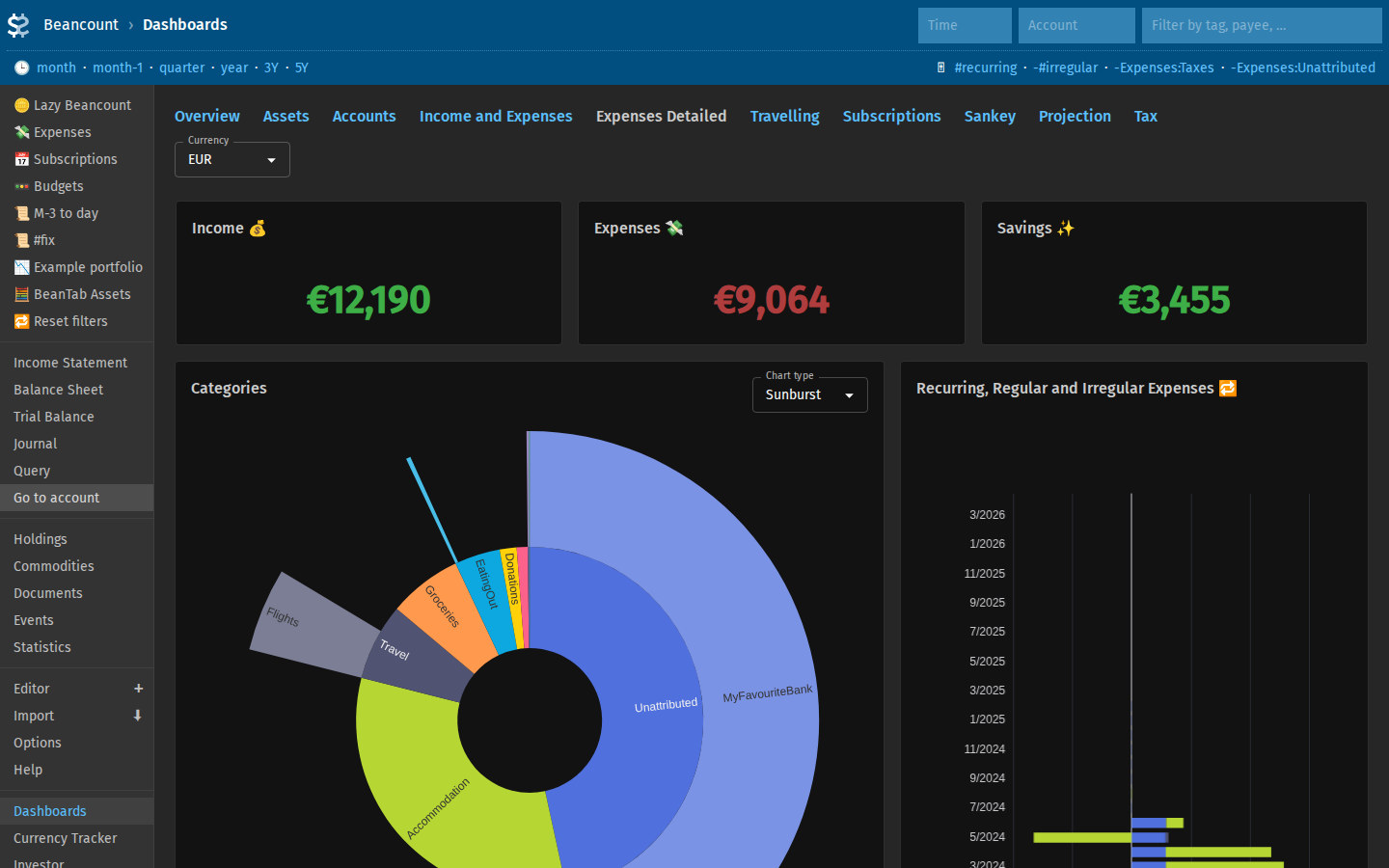
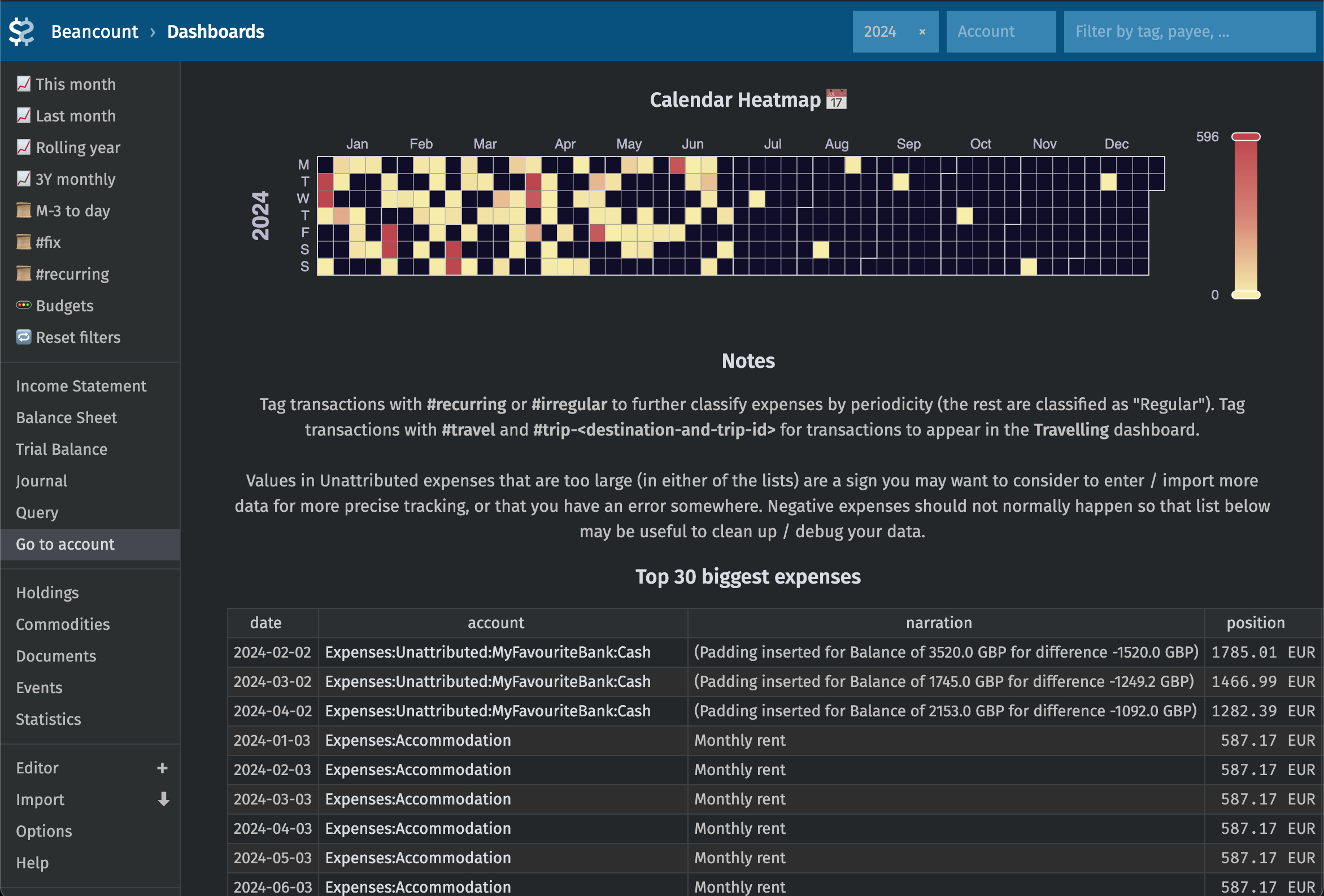 http://localhost:5003/beancount/extension/FavaDashboards/?dashboard=expenses-detailed&time=year
Or original view in Fava:
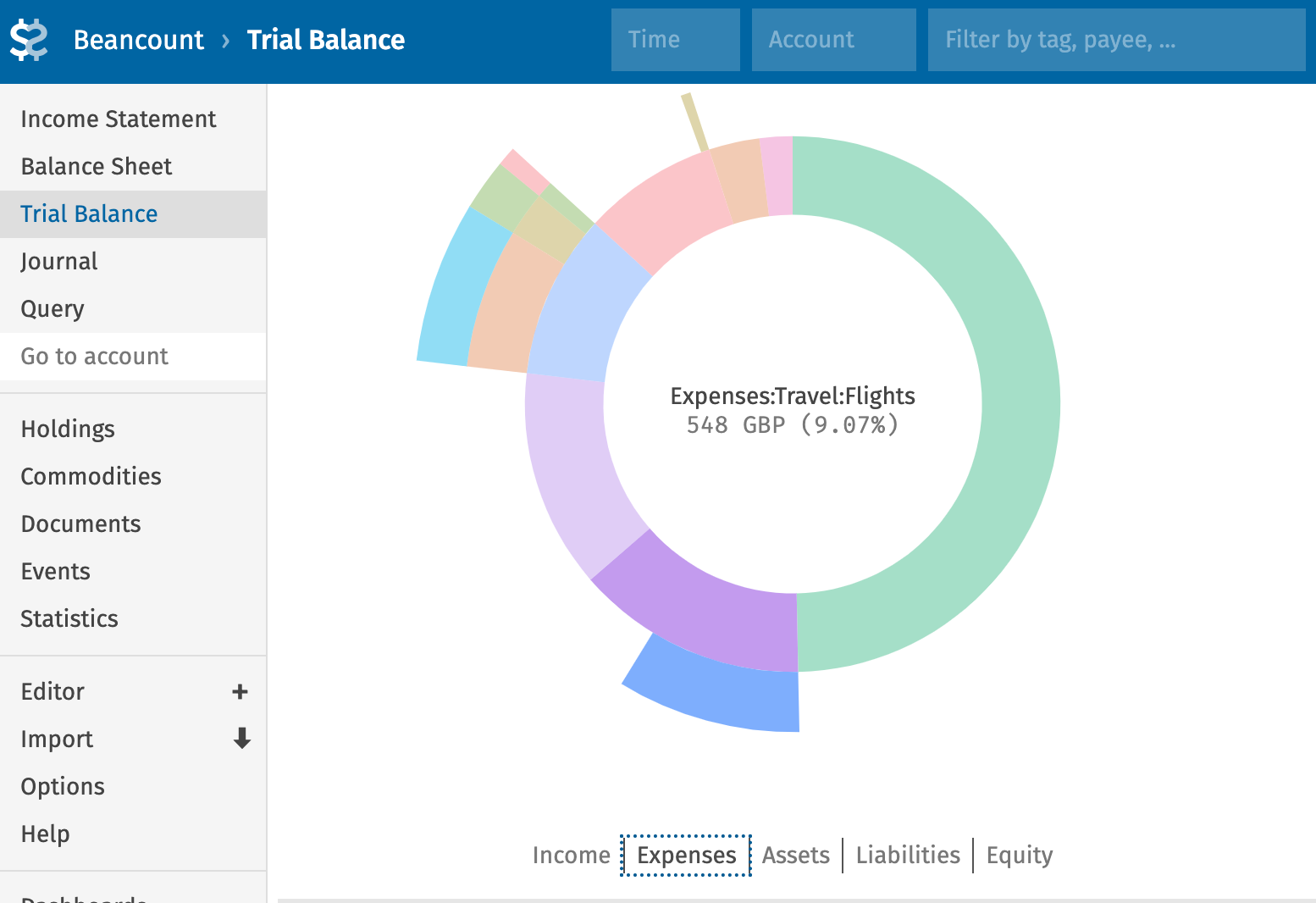
http://localhost:5003/beancount/trial_balance/?conversion=USD
Track expenses by trips or destinations, track recurring subscriptions and other recurring expenses.
Tracking all investments
Your investments are tracked at their respective units.
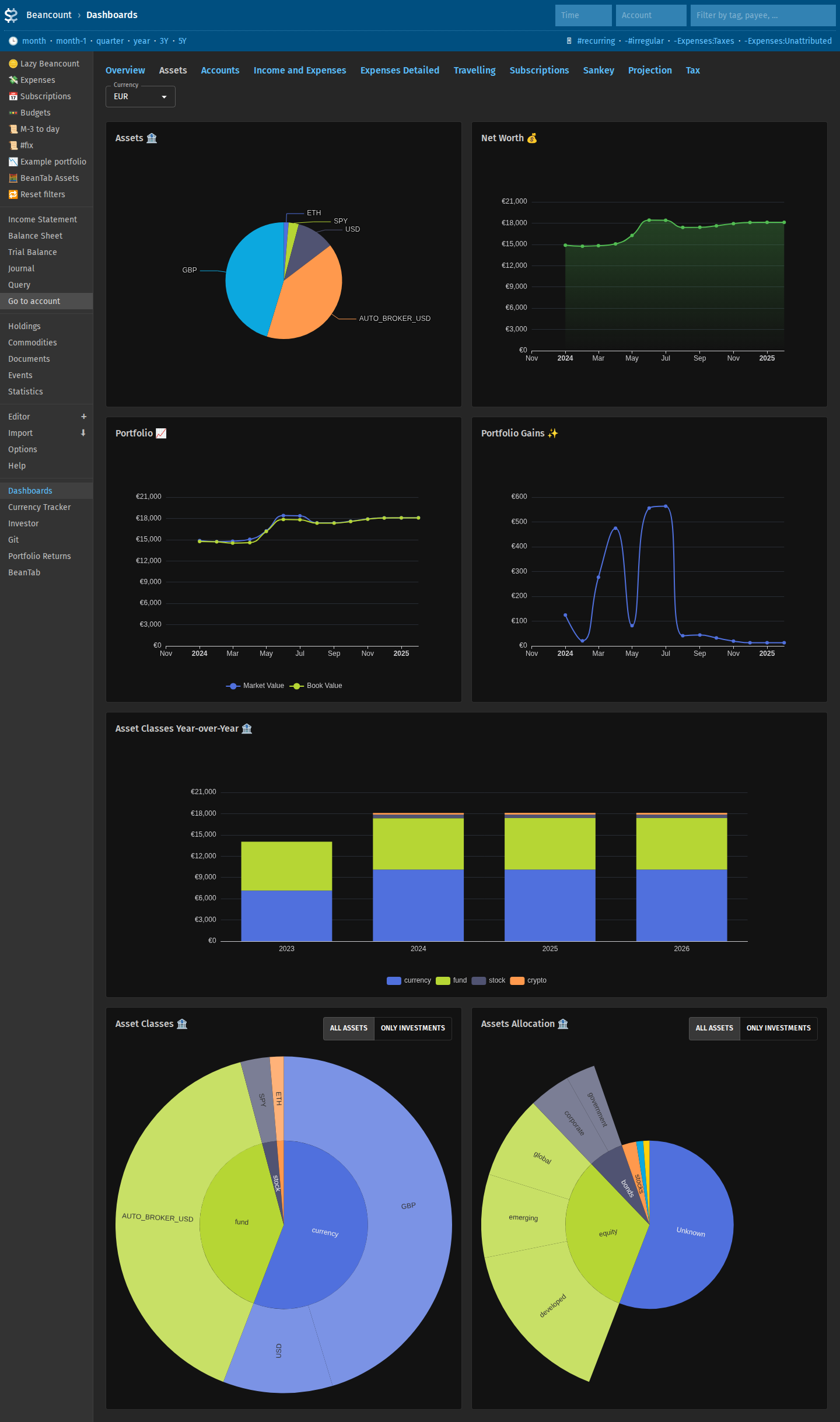
Prices for stocks and cryptocurrencies are fetched on demand from the web interface.
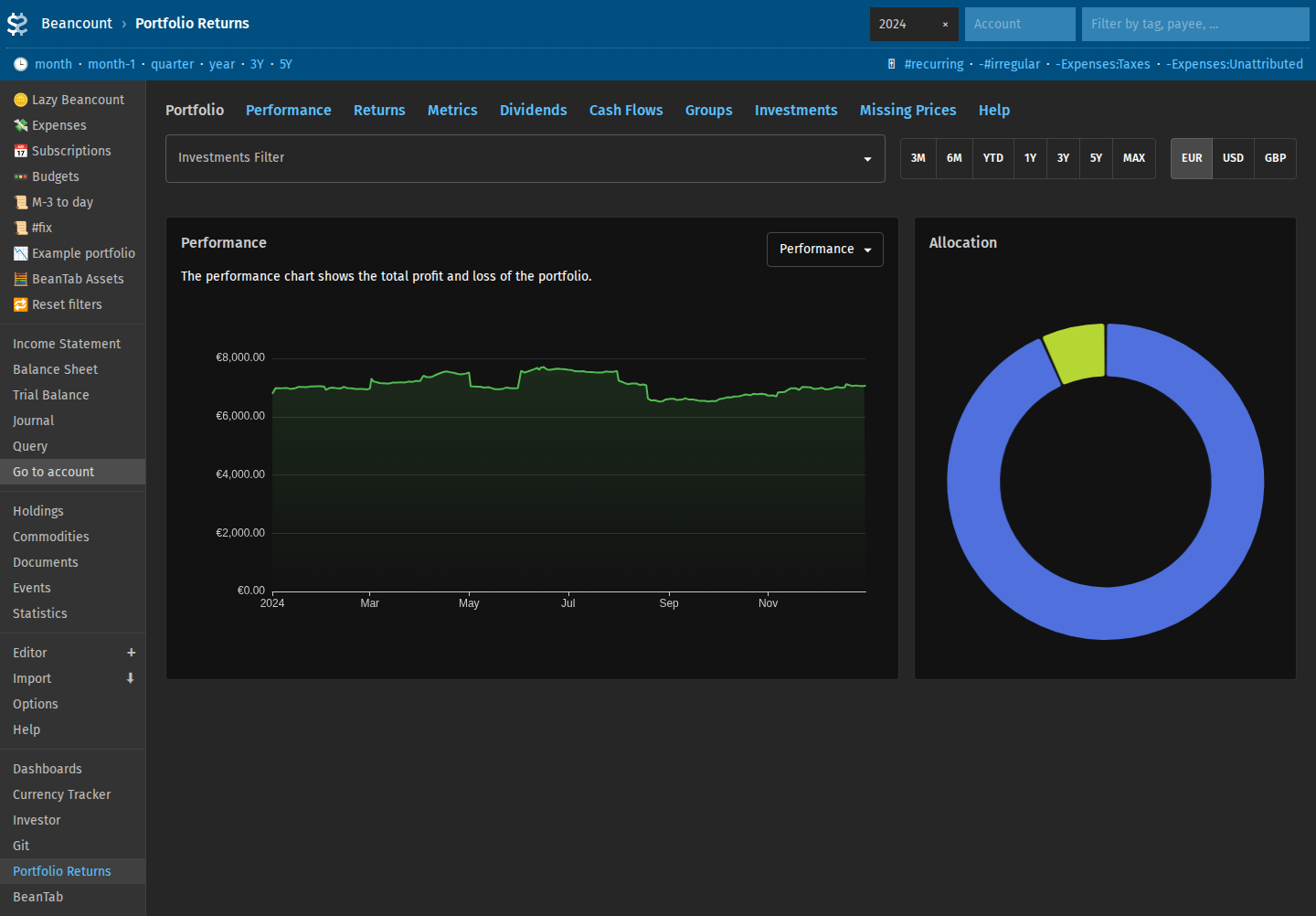
Analyse portfolio gains using beangrow + fava-portfolio-returns.
Track locations
Record where you spend time with Beancount location events (see locations.bean in the example ledger). The Locations dashboard shows a calendar, time spent per place, and breakdown charts—useful alongside trip and travel expense tracking. You can correlate spending with locations.
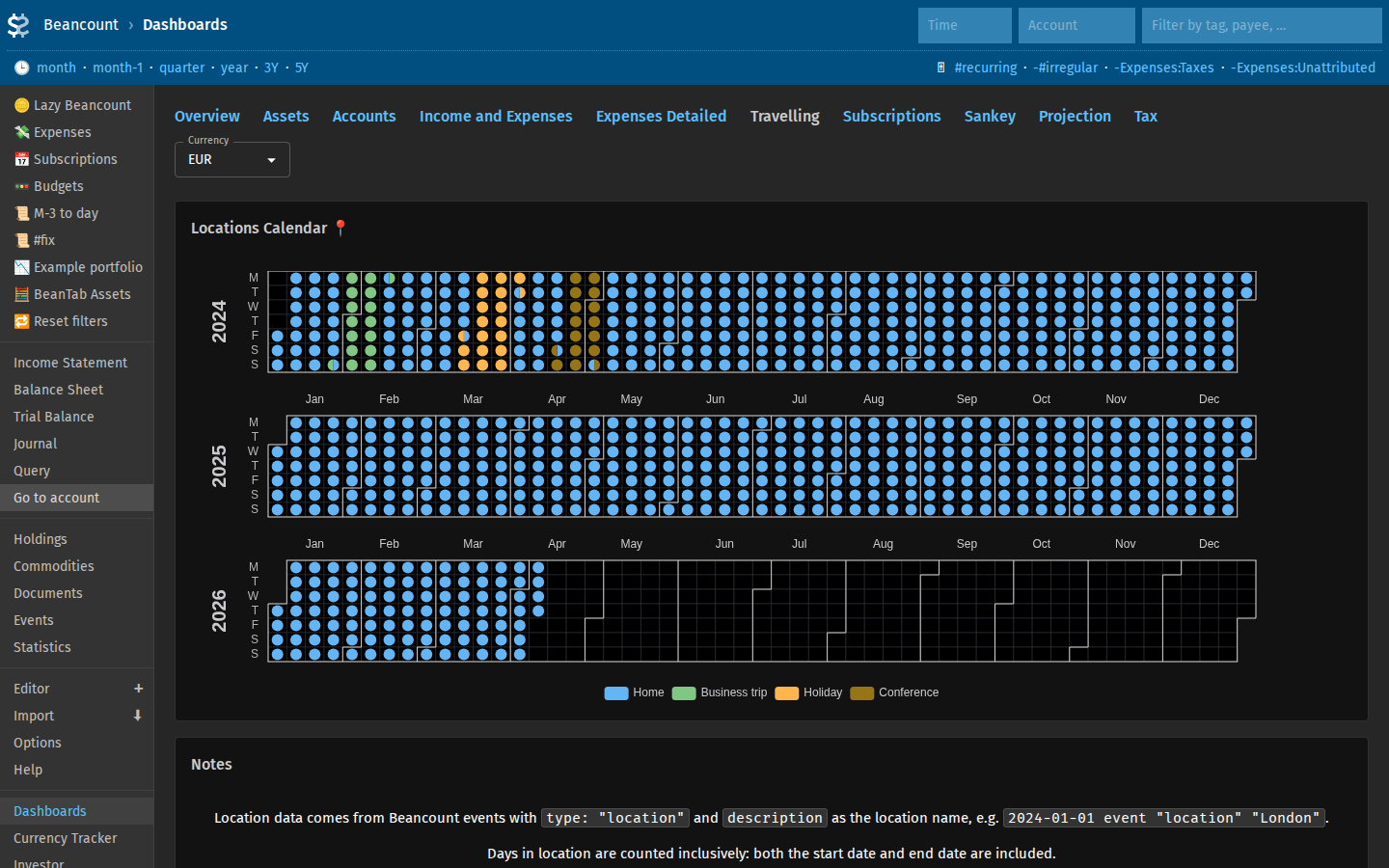
http://localhost:5003/beancount/extension/FavaDashboards/?dashboard=travelling
Custom dashboards
Display customized graphs by subsets of operations. Show specific values based on your accounts. Gather most useful information that you need in a single place.
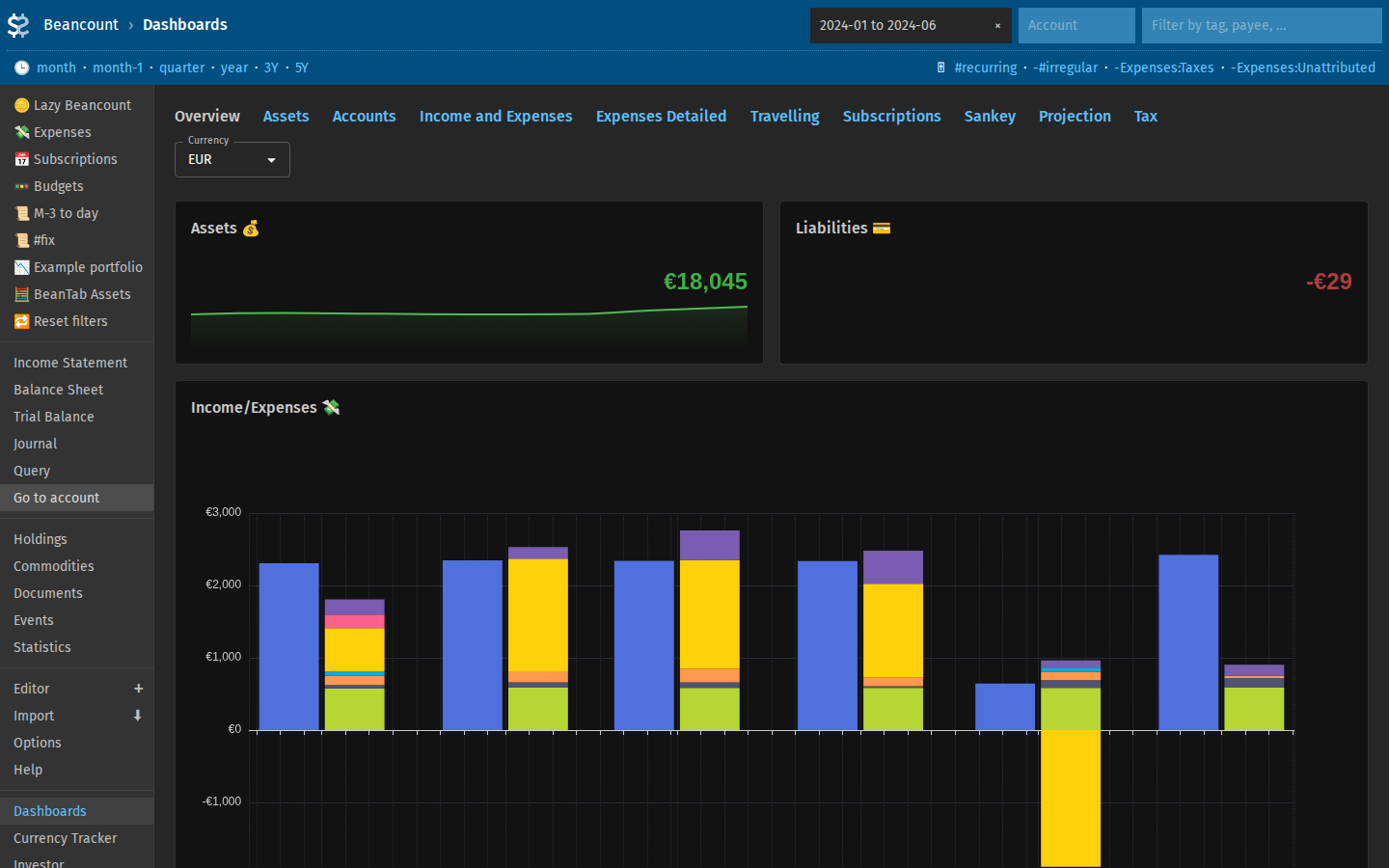
http://localhost:5003/beancount/extension/FavaDashboards/?conversion=USD
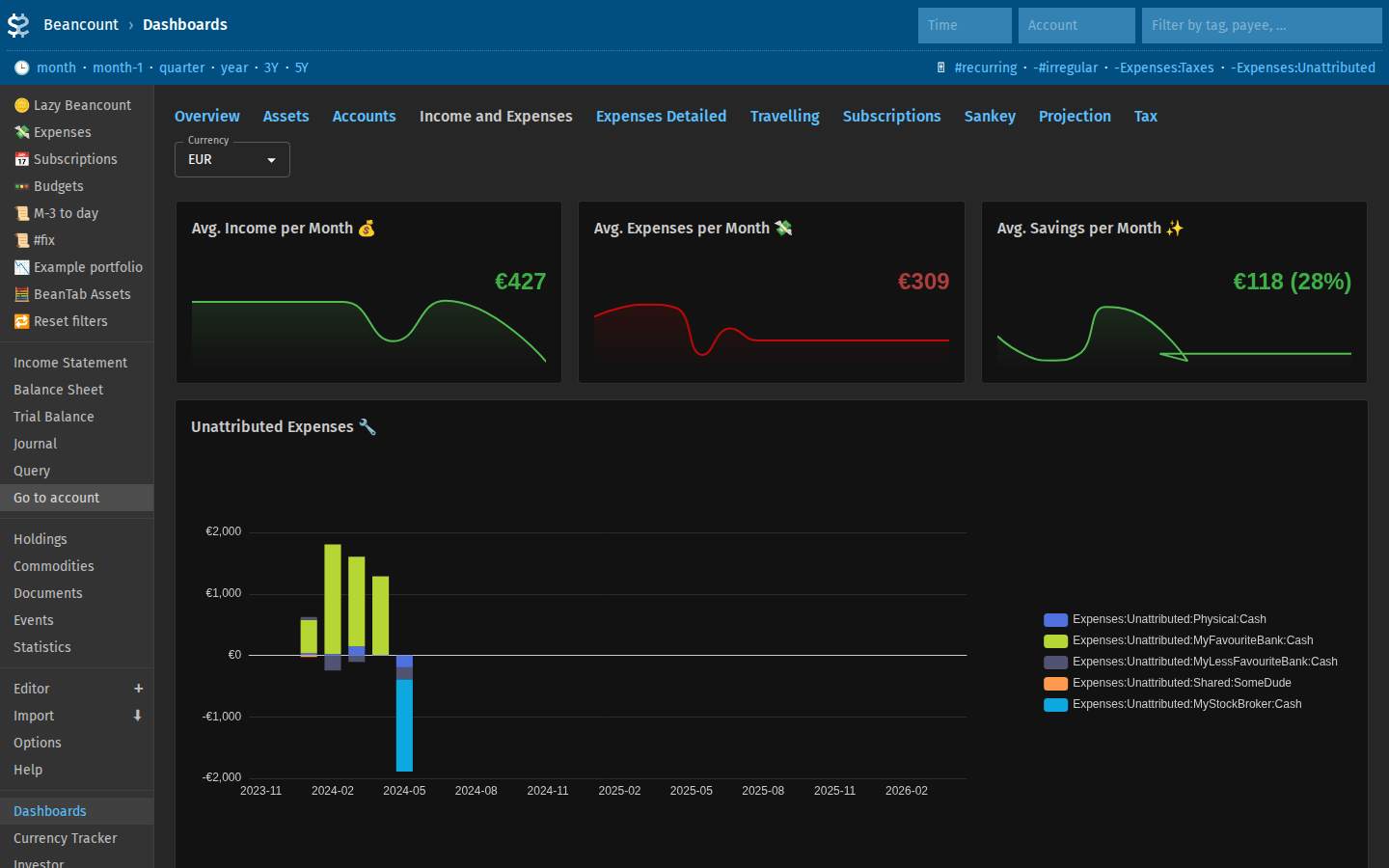 http://localhost:5003/beancount/extension/FavaDashboards/?dashboard=income-and-expenses
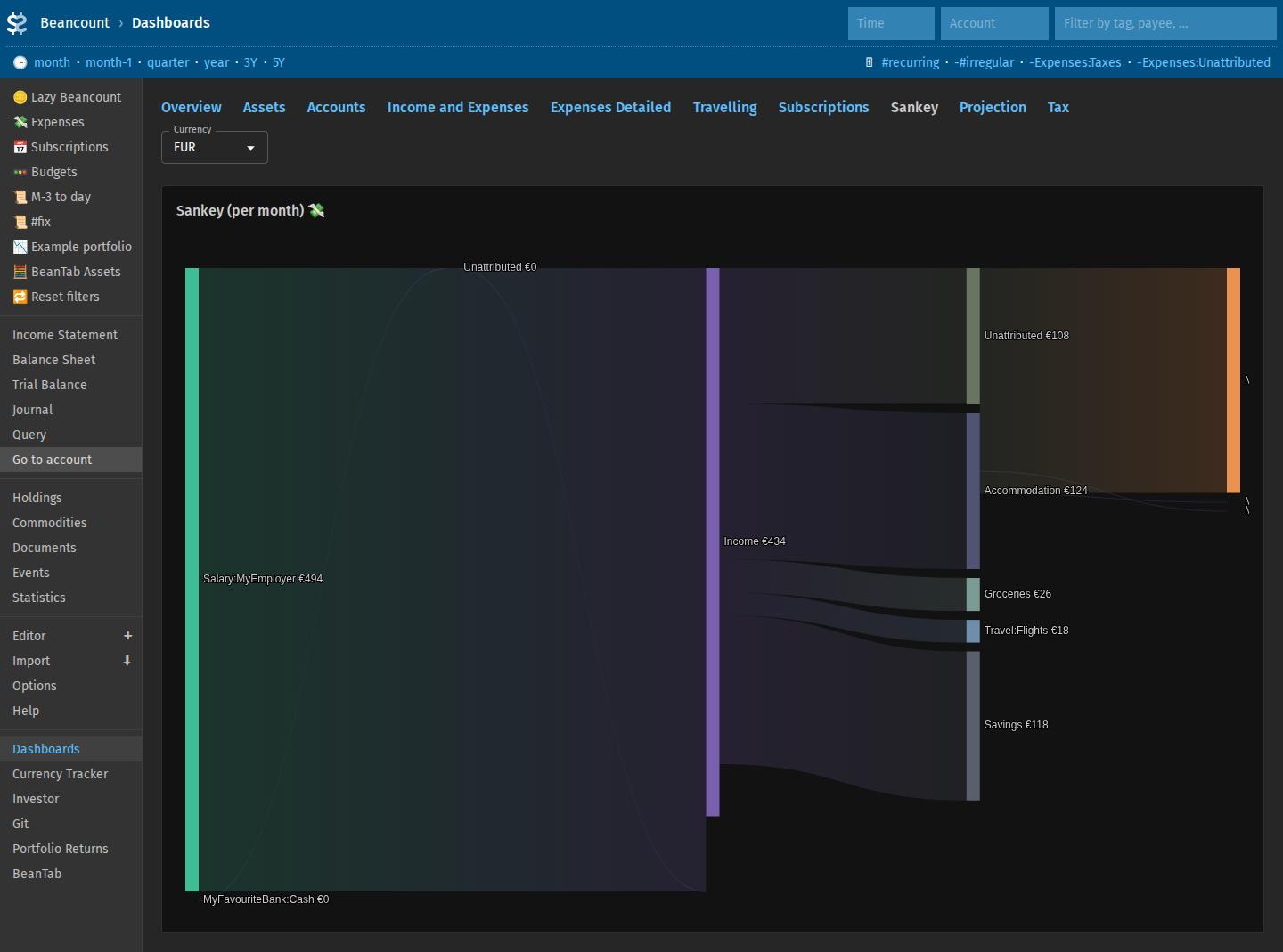
More examples include asset allocations, custom graphs by account groups, customized income/expenses graphs, Sankey diagram or just some values you may need for quick access, all courtesy of fava-dashboards.
Research
Filter data for any of the above pages by selecting or excluding specific accounts and/or date ranges.
Now that your data is in a standartized format, it is available from the built-in Fava interfaces, custom queries with Beancount Query, Fava dashboards customizable via BQL and JS combination, and Python code from Jupyter notebooks, if you wish. Even Grafana has been used for visualization.
Plan and calculate taxes
This will depend on your country but Beancount can simplify tracking things necessary for your tax reporting, see Taxes.
Various other possibilities
Track shared expenses. Track airline miles. Tag transactions in bulk to track recurring expenses / subscriptions. Make projections. Etc, etc, etc.
Check out more at https://beancount.io/page/en/introduction-to-beancount and https://github.com/andreasgerstmayr/fava-dashboards. There's also a running Fava example demonstrating just Fava functionality (e.g. no dashboards or more sophisticated configs) here: https://fava.pythonanywhere.com/.
Mobile?
This guide does not focus on using Beancount from mobile phone. There are apps and you probably can also set up Fava to use from the phone browser (but make it protected first!). I personally limit my usage of mobile to adding notes in bank apps (for the import classification later) and a note app to quickly record cash transactions.