Defining currencies
Defining currencies
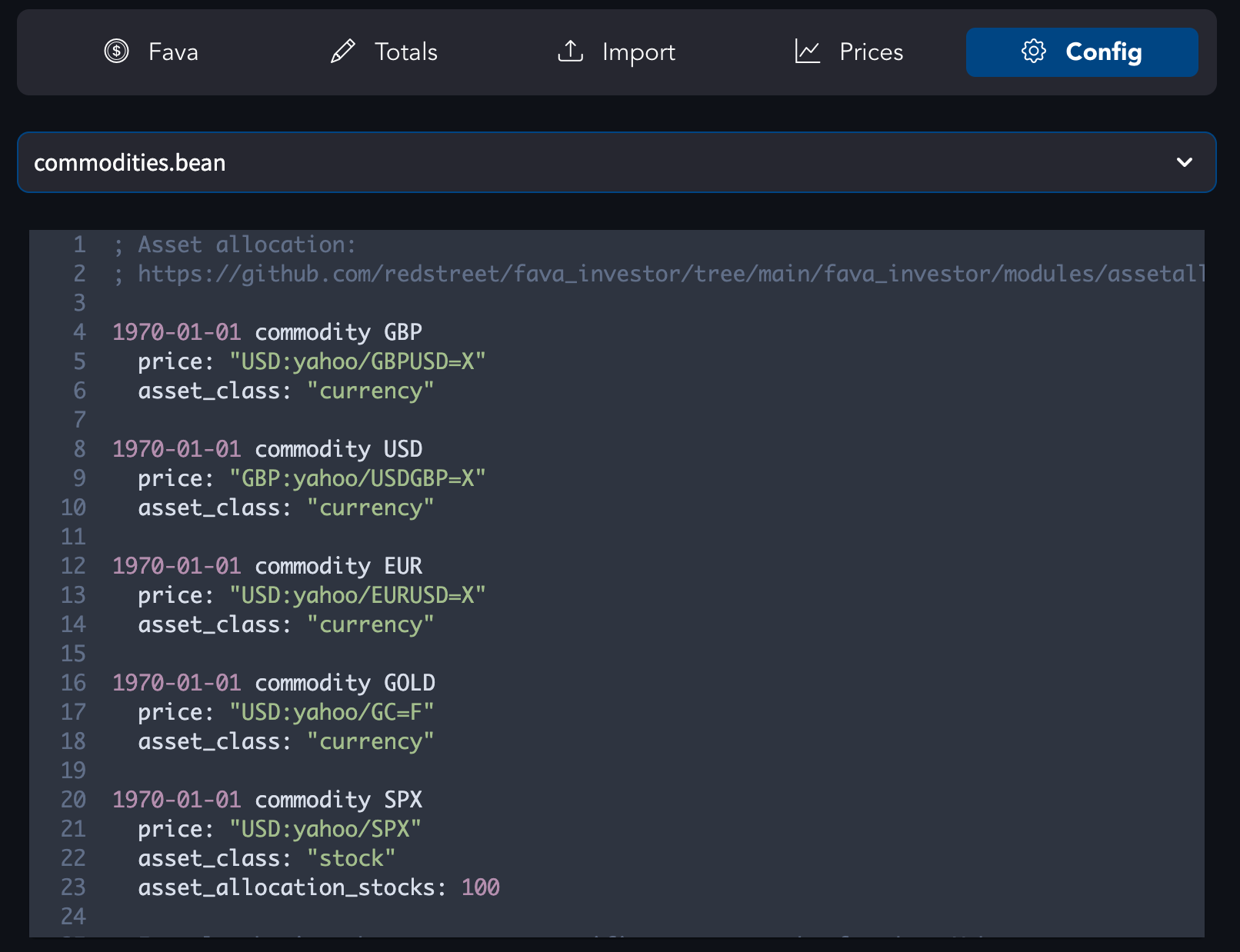
Now you have multiple accounts and they may have varied currencies in them. The commodities.bean already has definitions for a few:
1970-01-01 commodity GBP
  price: "USD:yahoo/GBPUSD=X"
  asset_class: "currency"

1970-01-01 commodity USD
  price: "GBP:yahoo/USDGBP=X"
  asset_class: "currency"

1970-01-01 commodity EUR
  price: "USD:yahoo/EURUSD=X"
  asset_class: "currency"
Your local currency may not be in there yet. Fortunately enough, all you need to do is just a copy-pasting one of the statements, replacing the name and adjusting the price field configuration. The data is fetched from Yahoo.Finance by default and it probably has your currency. Providing asset_class metadata is optional but it will make more dashboards work and will be used to distinguish currencies from various investments.
Conversion rates
prices folder contains Beancount files with data about conversion rates and various ticker prices over time.
In order to add a new data point for specific date:
Open the fava-currency-tracker report in Fava (included in Lazy Beancount). Use the calendar heatmap to see which dates already have prices, click a day to fetch rates for your commodities, preview the generated price directives, and save them into prices/. The rate chart helps check history and spot gaps.
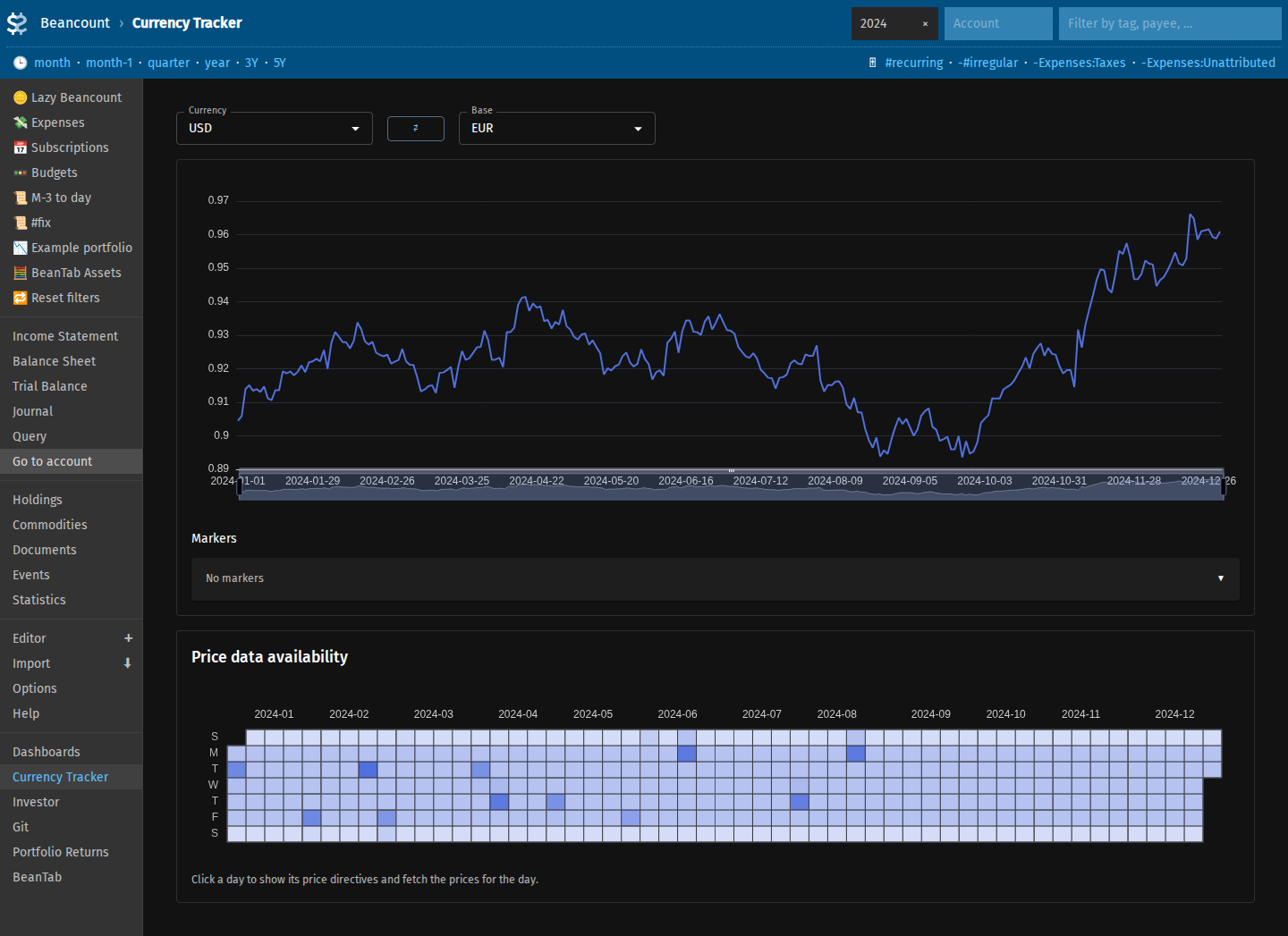
http://localhost:5003/beancount/extension/FavaCurrencyTracker/
If a source returns GBX instead of GBP, add price_fetch_multiplier: 0.01 on the corresponding commodity directive so fetched values are scaled before save.
To fetch an entry for the specific date, run:
Insert the output as a new block in prices.bean or a file under prices/.
GBX vs GBP
Some rates are fetched in GBX instead of GBP; use price_fetch_multiplier on the commodity (see the other tab) or adjust manually when using bean-price on the command line.
More details about how this all works can be found in the original documentation.
Regularity
I fetch these values at a regular frequency (weekly in my case). You may want to do this at the same time as updating your account valuations but you don't have to. You can always fill these values retroactively.
Make sure the first prices fetched preceed the first transaction or pad directive in your ledger. Otherwise you may see some strange-looking graphs in Fava because the older values could not be converted between each other.
Note that if you add a new commodity to the file the already existing files under prices/* will not be updated automatically. Fava currency tracker can fetch prices for a time range to assist with this.
Configuration
main.bean has configuration for your primary currencies.
option "operating_currency" "USD"
option "operating_currency" "GBP"
option "operating_currency" "EUR"
These are the ones that you will be able to select from in the Fava interface (e.g. if you want to convert all the values and see the graphs in specific currency).
Additional plugin is required if you want to do indirect conversions in the interface. For example, a commodity's (e.g. GOLD) price is in USD but you want to see its value in EUR (and you already have the USD->EUR rate fetched).
The information about commodities configuration is also applicable to when you start tracking investments later on. You will just use ticker symbols instead of the currency names.